How It Works Features Blog FAQ Download

Answers from your docs and tickets, while you’re on the call

Ask a question, and Arguium can read your Notion, Linear, Jira or calendar to answer it, then shows you what it read.

Each connection is called an MCP server (MCP, the Model Context Protocol, is a common way for AI apps to read other tools).

How to use it

Set it up once. Then just ask.

  1. 1

    Open Settings → MCP Servers

    Every service you can connect is listed, with what Arguium can read there.
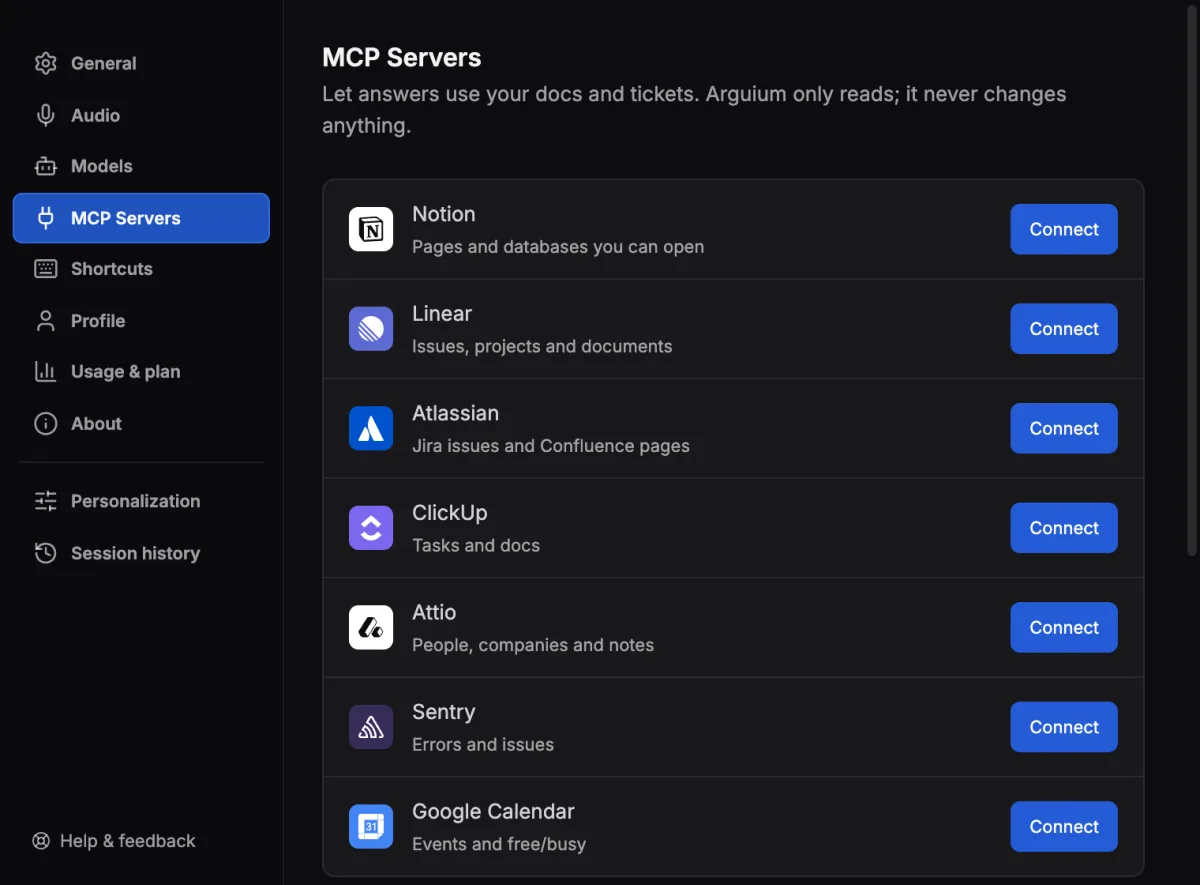
    Arguium Settings, MCP Servers page: Notion, Linear, Atlassian, ClickUp, Attio, Sentry and Google Calendar, each with a Connect button.
  2. 2

    Select Connect and sign in

    You sign in in your browser, not in Arguium. The row then says Connected.
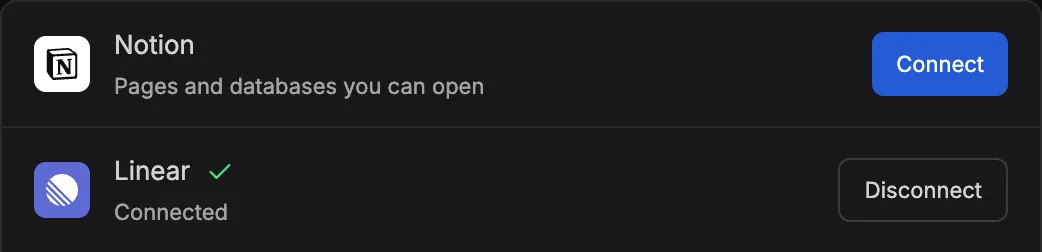
    The Linear row in Settings shows Connected, with a Disconnect button.
  3. 3

    Ask in Chat, or on a call

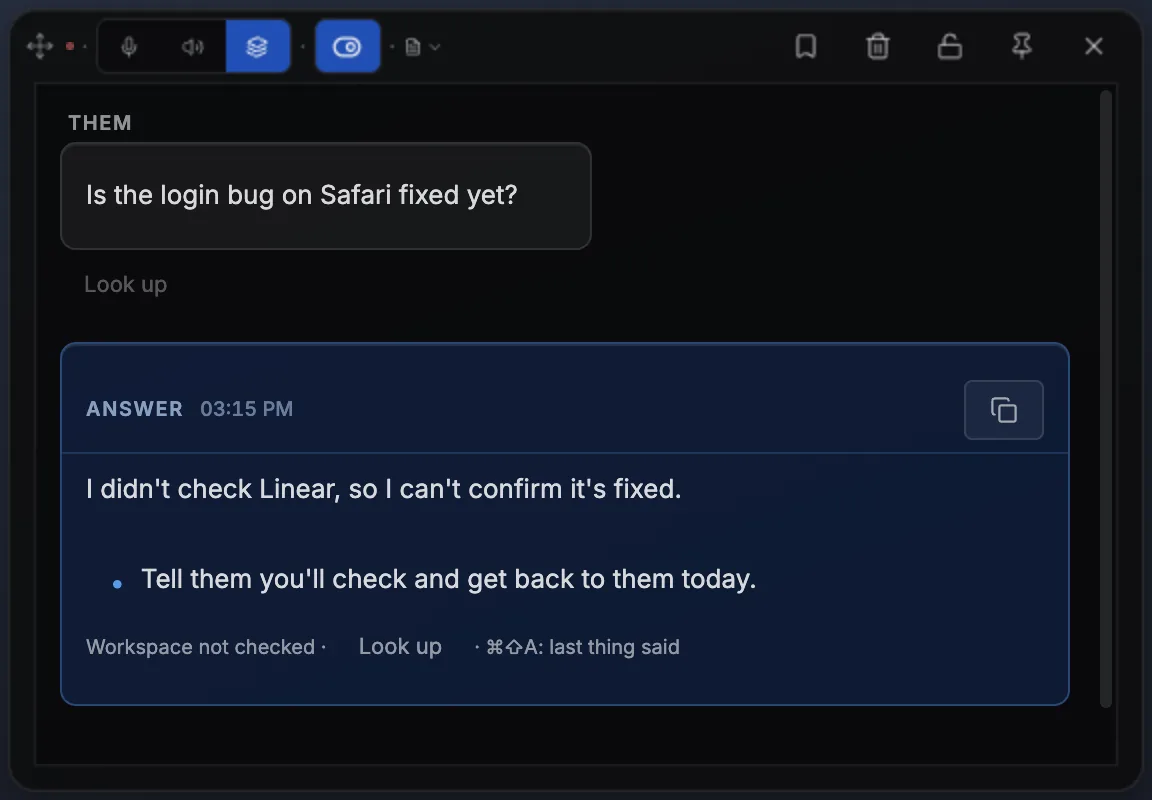
    Type a question that needs your workspace. On a call, select Look up under a line or an answer.

    Or press ⌘ ⇧ A (Ctrl Shift A on Windows).
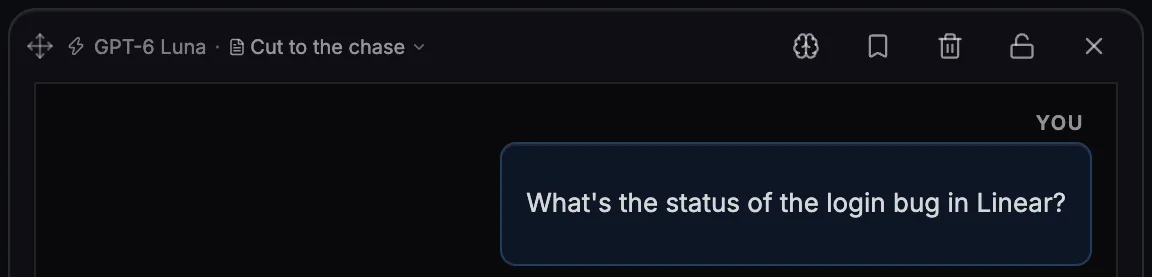
    Arguium Chat: the question What’s the status of the login bug in Linear?
    Arguium’s voice window on a call: the line Is the login bug on Safari fixed yet?, with Look up under it, and an answer marked Workspace not checked · Look up.
  4. 4

    See what it read

    The answer comes with a Read: Linear label naming what it opened.
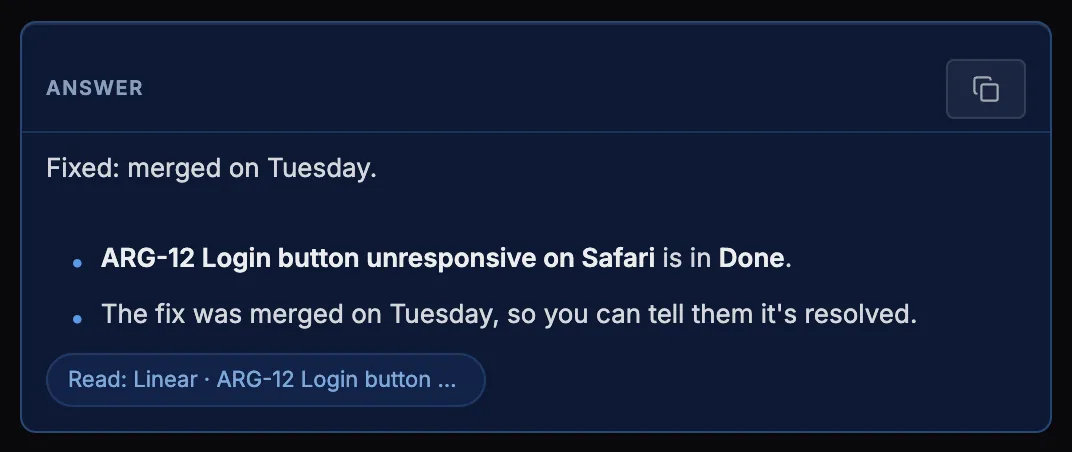
    The answer: Fixed, merged on Tuesday, with the label Read: Linear · ARG-12 Login button.
  5. 5

    Add a calendar event Google Calendar

    Ask in Chat, or by voice with Answer this or Tap to answer, with GPT-6 Sol on Arguium’s credits. Nothing is added until you select Create.
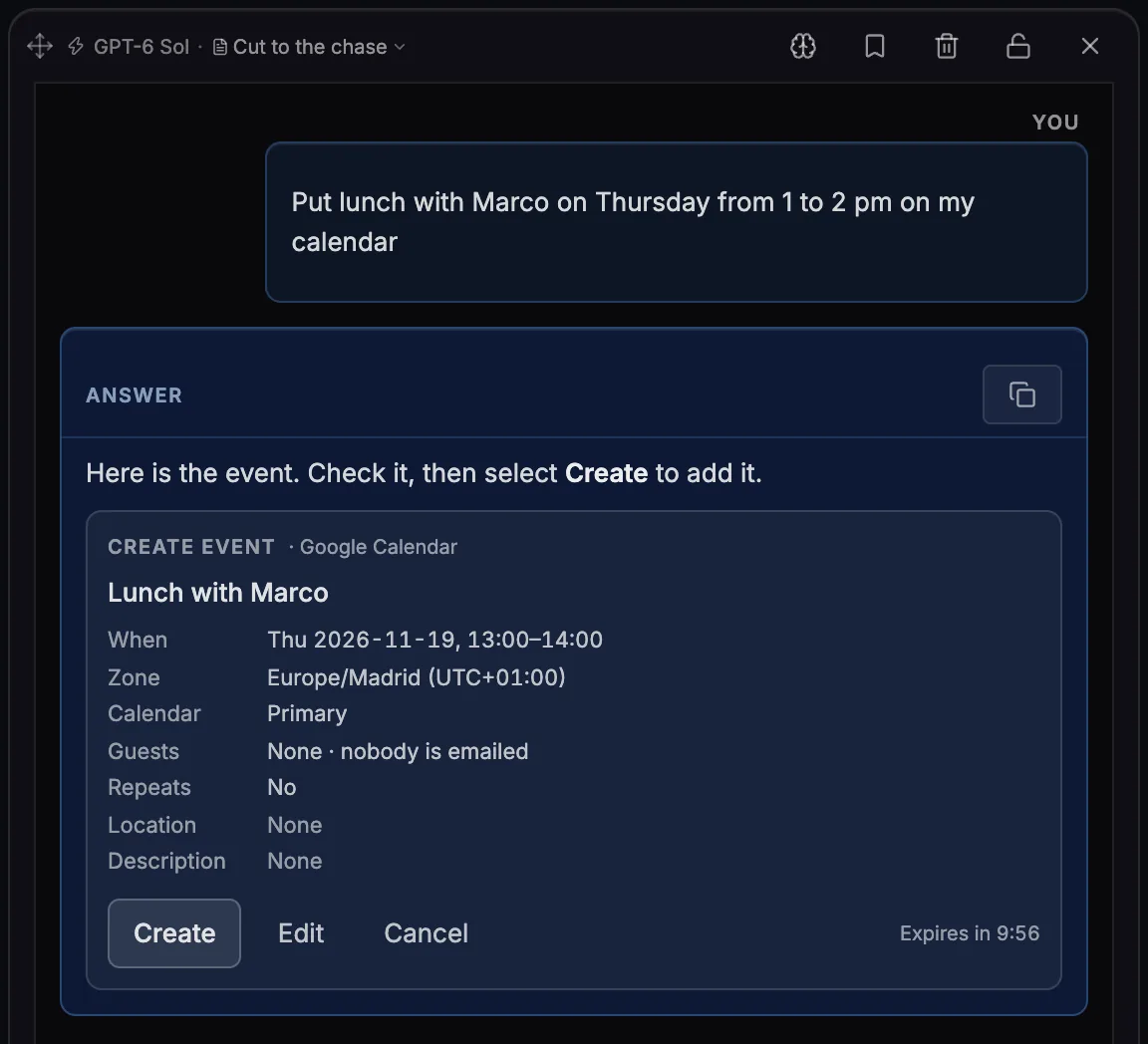
    Arguium Chat on GPT-6 Sol shows a Create event card for Lunch with Marco, Thursday 13:00 to 14:00, with Create, Edit and Cancel.

Try asking

Name the service, or just ask. The answer says what it read.

“Is ARG-12 done?”
reads ↓
Read: Linear
“When am I free on Friday?”
reads ↓
Read: Google Calendar
“What’s the latest error in Sentry?”
reads ↓
Read: Sentry
FreeConnect one service.
PremiumConnect all of them, plus your own MCP servers.
Good to know · privacy, plans, credits

It only reads

  • Arguium can call only a fixed list of reading tools built into the app, checked on every call. It never creates, changes or deletes anything, except a Google Calendar event you confirm with Create.
  • It reads Notion pages and databases; Linear issues, projects and documents; Jira issues and Confluence pages; ClickUp tasks and docs; Attio people, companies and notes; Sentry errors and issues; Google Calendar events and free/busy.
  • It can read anything your account can open in the workspace you connect.
  • Google’s consent screen asks to see and edit your events; Arguium only reads them and adds the event you confirm.

Your sign-in

  • Stays on this computer, encrypted by the operating system, for the Arguium account you’re signed in to. It is never sent to Arguium’s servers.
  • Disconnect deletes it and asks the service to revoke it, where supported. ClickUp doesn’t: also remove “ClickUp MCP Service” in ClickUp → Settings → ClickUp API (this disconnects other apps that use it, too).
  • Google Calendar: Disconnect clears this computer only. To end access everywhere, remove Arguium in your Google Account → Security → Third-party apps & services.

Where what it reads goes

  • To your AI provider, with your question: through Arguium on credits, straight to the provider with your own API key.
  • Attio holds details about other people, and Sentry reports can hold passwords or keys in stack traces; once read, they go to your provider too.
  • Attio’s note search finds notes by meaning, with AI that Attio runs. In a Sentry issue search, Arguium keeps only filters (like “is:unresolved”) and drops other words; text inside a filter goes to Sentry as written.
  • Calendar answers read titles, times, places, guests’ email addresses and the start of descriptions.
  • With Web search on, words from what it read can be in a web search Google or OpenAI runs. Turn it off in Settings → Personalization.
  • A saved answer keeps what it read in Session history, even after you disconnect. The app’s logs never record what was searched for or read. Privacy Policy.

In Chat and on a call

  • The Read: label shows on Phone Mirror too.
  • With Web search on, one answer can check your services and the web, and shows the pages and services it used: on Gemini 3.8 Flash or Gemini 3.5 Flash Lite, with Arguium’s credits or your own API key; on GPT-6 Luna or GPT-6 Sol with Arguium’s credits; with your own OpenAI key, also on GPT-5.4 Mini or GPT-5.6 Terra. Otherwise, or on Gemini with a custom tool on, web search answers alone.
  • With Look up my workspaces when I ask on (the default), a question you ask that names a connected workspace is looked up by itself, and so is a follow-up within two minutes of an answer from a workspace.
  • Only your microphone counts, but it can hear your speakers: use headphones, or turn the setting off in Settings → MCP Servers.

Google Calendar

  • Ask about your calendar in Chat or by voice. To add an event, Arguium shows a Create event card you can edit or cancel first.
  • Adding events works on Arguium’s credits with GPT-6 Sol only. With another model, your own API key or Ollama, it reads your calendar but can’t add events.
  • Guests are emailed only if you turn on Email the guests an invitation. Events are created on your computer, not from Phone Mirror.

Plans and credits

  • Free connects one service (Google Calendar counts as one). Premium connects all of them, plus custom servers.
  • A lookup uses credits like any answer, or your provider’s bill with your own key. On a voice line, working out what to check is one more request; so is choosing what to ask a custom server, and in Chat writing the answer can take one more after a custom server returned something.
  • Lookups, Google Calendar included, don’t work yet with your ChatGPT plan or in screenshot answers. On Ollama, typed questions look things up only with a model that can use tools, such as qwen3 or llama3.1.

Your own MCP servers (Premium)

  • In Settings → MCP Servers → Custom servers, add up to 5 remote servers by their https:// address, such as a tool your team runs. Sign in in your browser, or paste an access token.
  • Every tool starts off. Only tools the server marks read-only can be turned on (up to 20 in all); that mark is the server’s own claim, so add servers you trust. If a tool changes on the server, Arguium turns it off and shows what changed.
  • Each time you ask with one of its tools on, Arguium connects with your sign-in and reads its tool list. Beyond that it gets only what Arguium takes from your message or voice line: never your chat history, screenshots, persona or what other services returned. Answers show its name with (custom).
  • On Free, Custom servers shows with the Premium label. If your Premium ends, your servers are kept and paused.
Download Arguium free

Notion, Linear, Atlassian, Jira, Confluence, ClickUp, Attio, Sentry and Google Calendar are trademarks of their owners. Arguium is not affiliated with them.

Frequently Asked Questions

No. Arguium only reads, through a fixed list of reading tools built into the app; it never creates, changes or deletes anything there. The one exception is Google Calendar: Arguium can add an event, only after you select Create.

Notion, Linear, Atlassian (Jira and Confluence), ClickUp, Attio, Sentry and Google Calendar. With Premium, also up to 5 MCP servers of your own.

To the AI provider that writes the answer, with your question: through Arguium with credits, or straight to your provider with your own API key. Your sign-in to the service stays on your computer.

Free connects one service; Premium connects all of them and adds custom servers.