Answers on your phone. Nothing on your screen. Nothing readable on our servers.
Phone Mirror shows Arguium’s live transcript and answers on your phone, in an encrypted web page — so you can keep your shared screen clean in sales calls, presentations and client meetings. It is not screen mirroring: nothing of your computer’s screen is sent to the phone. Scan once. No app. No login. Any network. Included in Premium.
1. Open Connect phone
In Arguium, open Settings → General → Phone Mirror → Connect phone. A QR code appears on your computer.
2. Scan the code
Point your phone’s camera at it and mirror.arguium.com opens in the phone’s browser. Nothing to install, no account or login on the phone — about 10 seconds. The code works once and expires in 2 minutes.
3. Read on your phone
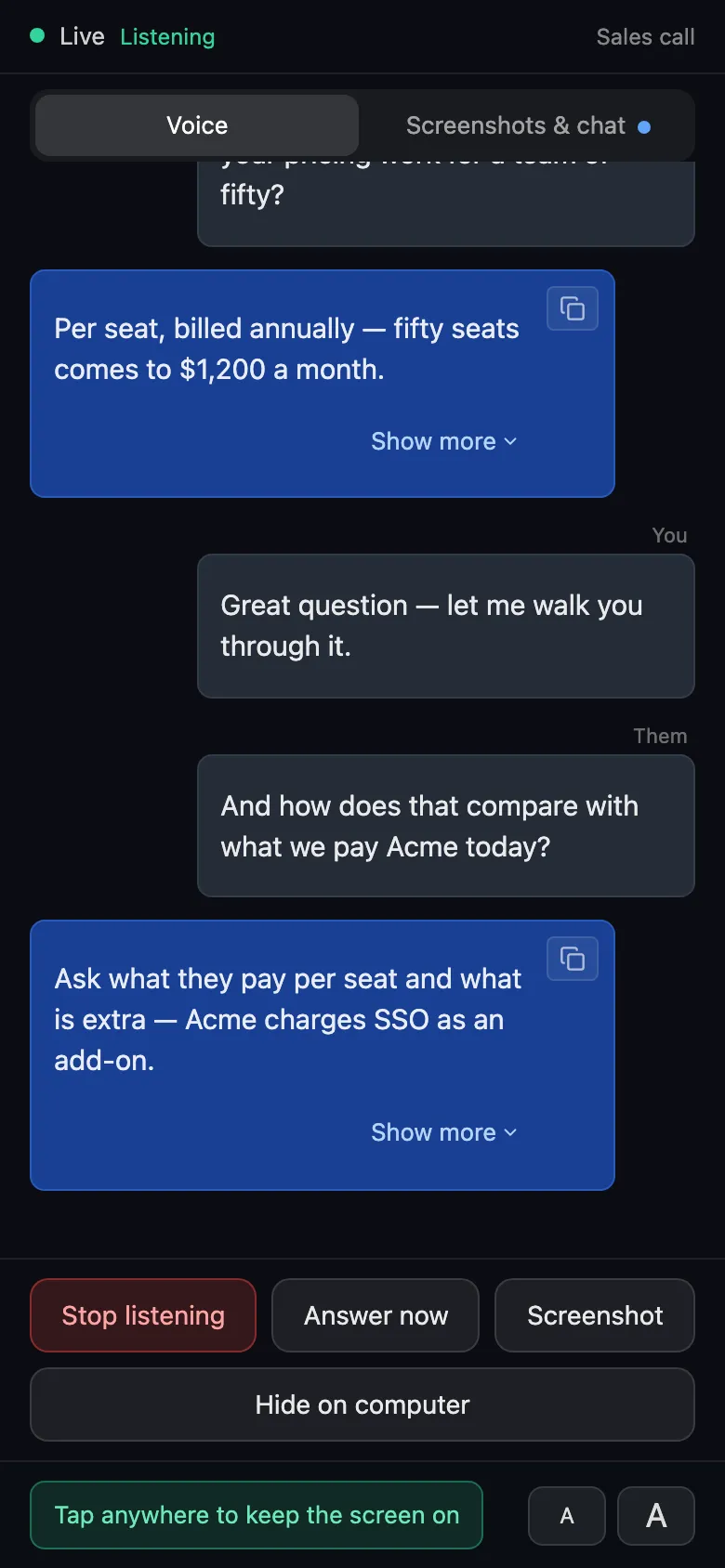
The transcript and answers appear on the phone as they happen. Any network works: phone on cellular, computer on Wi-Fi is fine. There is no same-network requirement.
End-to-end encrypted
Your computer encrypts (AES-256-GCM) → Arguium’s relay forwards ciphertext it cannot read and stores only hashes → your phone decrypts. The key exists only inside the QR code, in the part of the link after #, which browsers never send to a server. Arguium cannot read what goes to your phone.
What the phone shows
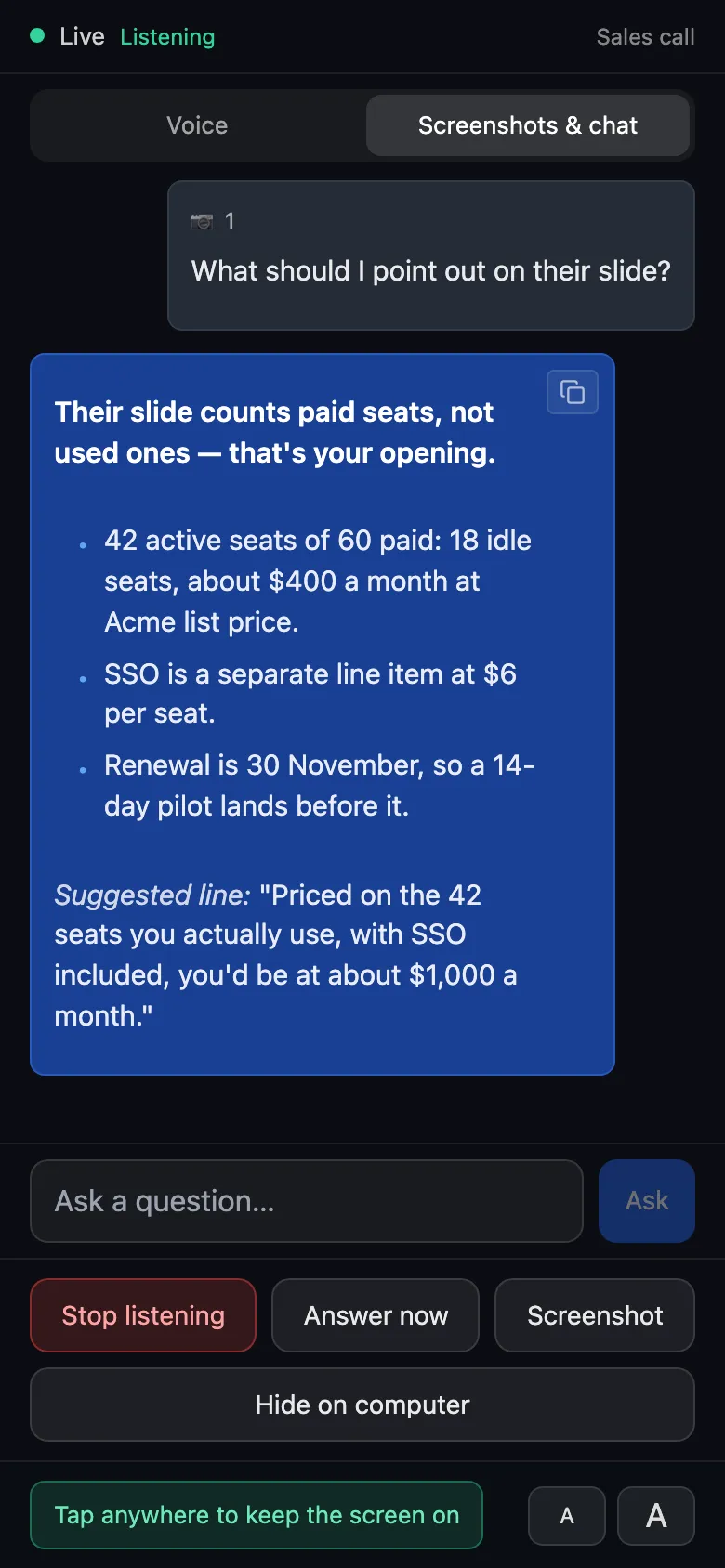
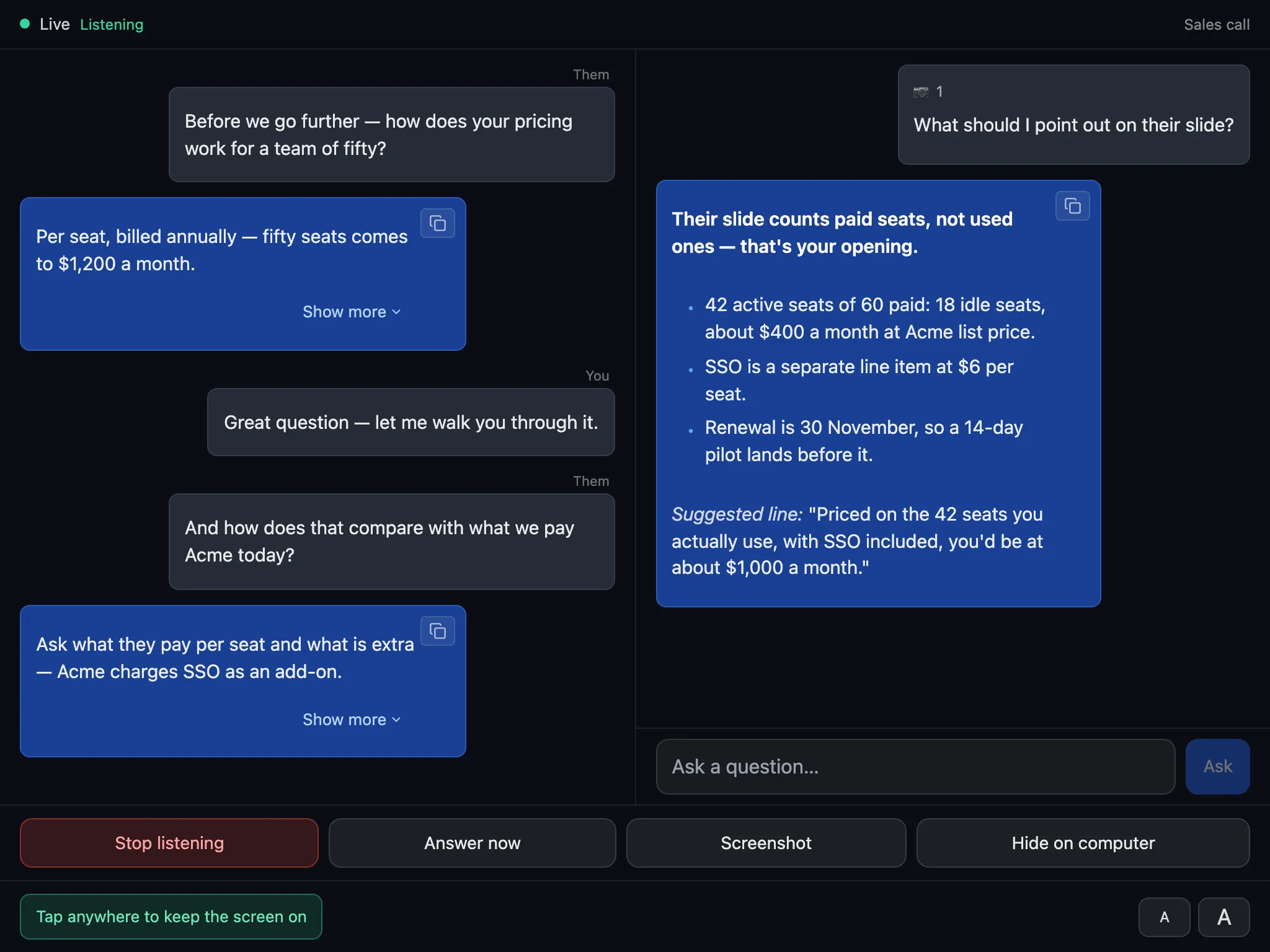
The live transcript, labelled You and Them, and voice answers as they stream. Screenshot analyses and typed chat answers, with their web sources — the screenshot images are never sent to the phone; it only shows how many a question carried. Adjustable text size, jump to latest, the screen stays awake, and a side-by-side layout on tablets and a second laptop.
Controls, after you allow them
A new pairing is view-only. Click Allow control on your computer and the phone shows its controls: start, pause and stop listening, Answer now (or answer a line Arguium skipped), take a screenshot of the computer, send the screenshot queue for analysis, type a question, and hide Arguium on the computer.
Phone mode
Hide Arguium on your computer entirely while you read on the phone. Every Arguium window — overlay, chat, answers, pop-ups — is hidden, and its sounds and system notifications are silenced. (With stealth mode on, one small button stays on screen: it is your way back.) It ends only when you turn it off (from the phone, Settings, a shortcut or the tray), never because the phone lost its connection.
Remember this phone
Opt in and the phone reconnects by itself for up to 30 days, even after Arguium restarts. Forget this phone ends it at any time. Without it, a pairing lasts for the session.
Devices
iPhone with Safari 16.4 or later, and Android with Chrome. Tablets and a second laptop’s browser work too. A pairing remembered in Safari does not carry over to a home-screen web app — scan again there.
Phone Mirror is part of Premium. Use Arguium only where external tools are allowed.