Real-time objection handling: your best answer, on screen when the objection lands
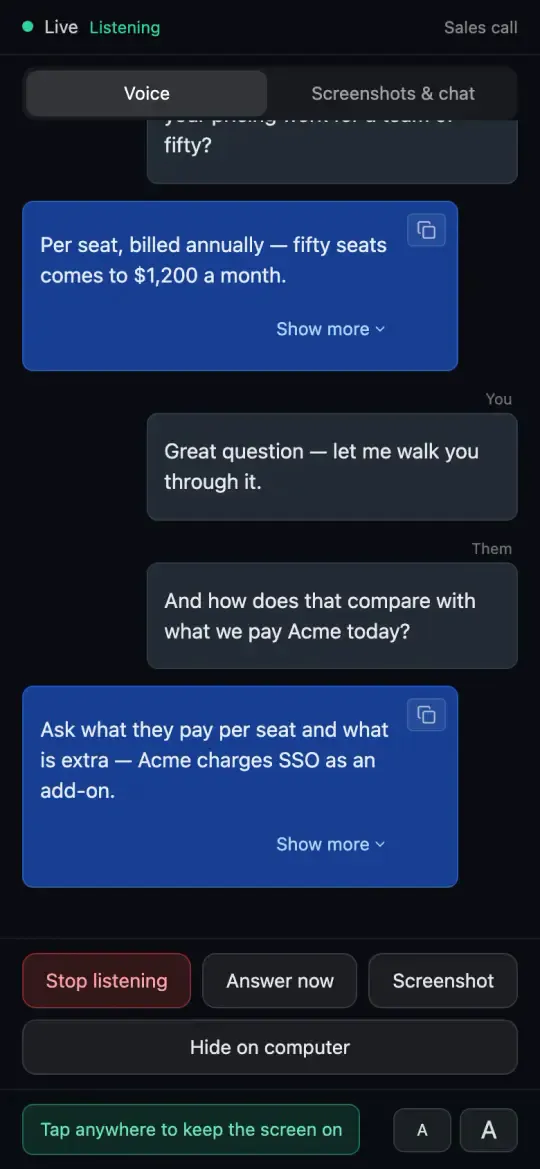
Most objections aren’t new: the price, the competitor, “send me something”, “not now”. You already know your best answer; the hard part is having it ready in the second the prospect says it. Arguium runs on your desktop, hears the call and brings up the answer you wrote, without joining the meeting.
Cue cards: your answers, brought up by their words
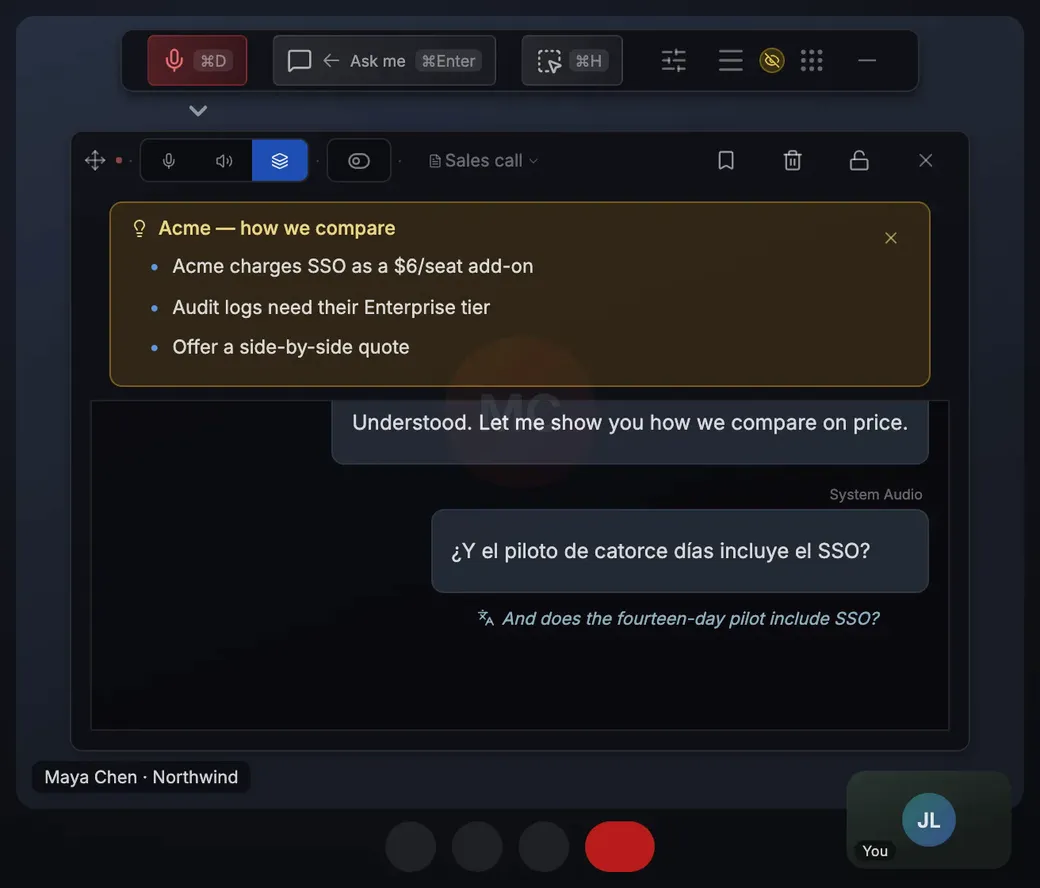
A card is a title, up to five words or phrases, and the text you want in front of you. When a line from the prospect contains one of the words, the card appears, up to three at a time; a card that just came up waits two minutes before it shows again. Write up to 20 in Settings → Personalization → Cue cards, on every plan, the free plan included.
Four cards worth writing (objection: its words → the text)
“Your price is too high”: price, expensive, budget → the figure that shows the return, a smaller plan, and “Compared with what?”
“We already use [competitor]”: the competitor’s name → two or three facts checked on their own pages, and the question that opens the gap
“Just send me something by email”: email, send me → “What should it cover to be worth your time?” and a date for the next call
“Now isn’t the right time”: right time, next quarter, not now → what changes later, and the smallest next step today
An answer for the question you didn’t prepare
Voice mode transcribes the call, lets the small talk pass and puts the answer to the real question on screen. On the free plan Arguium hears one audio source at a time: set it to System audio so it hears the prospect. Your microphone and the call audio at once, so Arguium knows which lines are theirs, is part of Premium.